Flash BIOS update - Flash from Operating System version for Lenovo IdeaPad Y700-15/17 ISK.
Version CDCN53WW
Applicable OS Win7(64-bit) & Win10(64-bit)
Installation README
Updated Date: 2016-9-19
This package updates the basic input/output system (BIOS) on Lenovo IdeaPad Y700-15/17 ISK
BIOS, abbreviation of Basic Input Output System, is integrated in ROM chip on main board, which contains the basic input/output program, system configuration information, system startup self-check and pre-setup programs. BIOS provides most basic low-level hardware operations; it is the connection between software and hardware, and interfacing window of hardware and operating system.
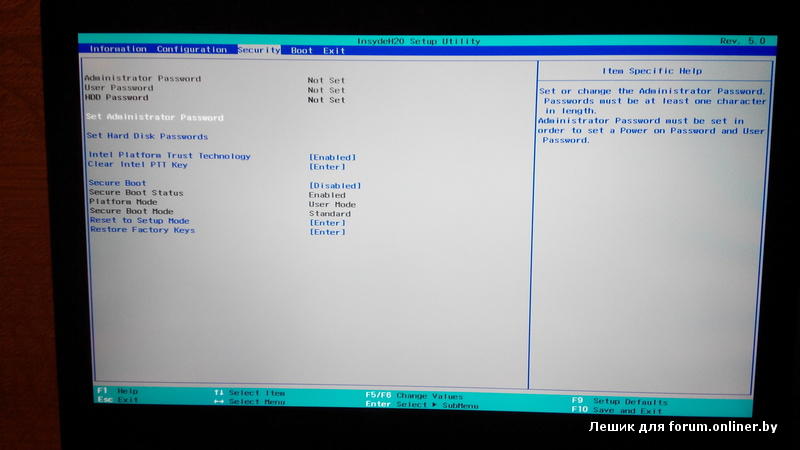
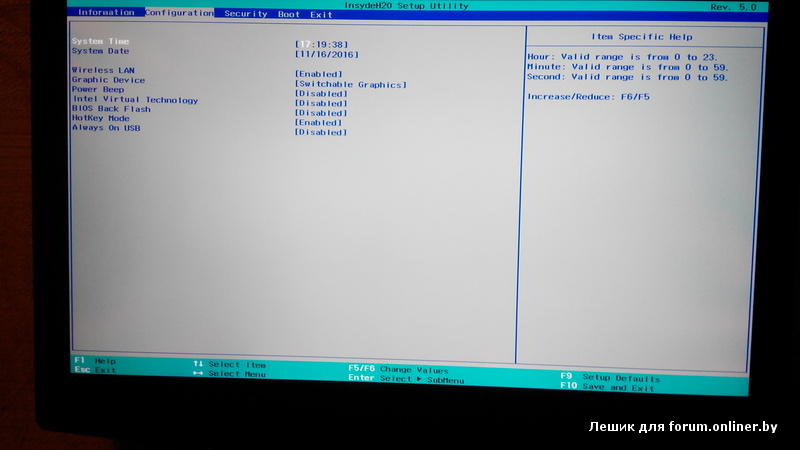
Note: Make note of any settings you have changed in the BIOS Configuration Utility. These settings may have to be re-entered after updating the BIOS.
Attention: Do not power off or restart your computer during the BIOS flashing process, which will cause serious damage and improper functioning of your computer.
Print this file so that you can refer to it during the installation.
Downloading the package
=======================
1. Click the file link to download the file from the web page.
2. When prompted, select a drive and directory in which to save the downloaded file.
Installing the package in Windows.
======================
Please follow bellowed step to update BIOS in Windows:
1. Locate the file CDCN53WW.exe that has been downloaded.
2. Double click the CDCN53WW.exe icon.
3. Follow wizard UI by making sure what BIOS to flash and flash on what platform
4. Finally press Install & Finish to start flashing. During the process, you are advised not to turn off the computer.
5. When the update finishes, the computer will automatically reboot for the changes to take effect.
Updated Information:
Latest Version BIOS fixed all merged issues from previous.
Summary of changes
==================
General Information:
CDCN53WW:
BIOS Notification :
1. Fixed
1) None.
2. Add
1) None.
3. Modified
1) Modify ME settings for Intel PTT disabled issue;
2) Set memory frequency limit from auto to 2133MHz.
EC Notification :
1. Fixed
1) None.
2. Add
1) None.
3. Modified
1) None.
CDCN52WW:
BIOS Notification :
1. Fixed
1) None.
2. Add
1) None.
3. Modified
1) None.
EC Notification :
1. Fixed
1) Workaround to fix ACPI error.
2. Add
1) None.
3. Modified
1) None.
CDCN51WW:
BIOS Notification :
1. Fixed
1) Workaround to fix P/L panel flicker issue;
2) [Important] Update includes some security fixЈЁPCR#802066090);
3) [Important] Update includes some security fixЈЁPCR#802139045);
4) [Important] Update includes some security fixЈЁPCR#802139048);
5) [Important] Update includes some security fixЈЁPCR#802139032).
2. Add
1) None.
3. Modified
1) Update Lenovo Phlash logo.
EC Notification :
1. Fixed
1) None.
2. Add
1) None.
3. Modified
1) None.
CDCN37WW:
BIOS Notification :
1. Fixed
1) OA2.0 show "No" support in BIOS setup menu information page.
2) Fixed translate value error for Gaming Zone function.
2. Add
1) None.
3. Modified
1) Modified back to enable TPM default.
2) Removed flash ME region function.
EC Notification :
1. Fixed
1) None.
2. Add
1) None.
3. Modified
1) Modify Game zone notify event feature follow spec.
CDCN36WW:
BIOS Notification :
1. Fixed
1) None.
2. Add
1) Added function of fan cooling/TP status/WinKey status for Gaming Zone.
3. Modified
1) None.
EC Notification :
1. Fixed
1) None.
2. Add
1) None.
3. Modified
1) None.
CDCN35WW:
BIOS Notification :
1. Fixed
1) Solved issue of system reboot during Hard disk security setting.
2) Fixed issue of system restart in POST code 41 when power cycle is not stable.
2. Add
1) None.
3. Modified
1) None.
EC Notification :
1. Fixed
1) None.
2. Add
1) None.
3. Modified
1) None.
CDCN34WW:
BIOS Notification :
1. Fixed
1) N/A.
2. Add
1) N/A
3. Modified
1) Enabled INTEL PTT function.
EC Notification :
1. Fixed
1) N/A
2. Add
1) N/A
3. Modified
1) N/A
CDCN33WW:
BIOS Notification :
1. Fixed
1) Fixed issue of system cannot capsule update.
Fixed issue of system reboot many times.
2. Add
1) None.
3. Modified
1) Modified code to increase system stable.
EC Notification :
1. Fixed
1) None.
2. Add
1) None.
3. Modified
1) None.
CDCN32WW:
BIOS Notification :
1. Fixed
1) None.
2. Add
1) None.
3. Modified
1) Modified ME setting for system stable.
2) Enabled flag for Capsule Updated.
EC Notification :
1. Fixed
1) None.
2. Add
1) None.
3. Modified
1) None.
CDCN30WW:
BIOS Notification :
1. Fixed
1) Fixed BT device disappear during factory returned product flow.
2. Add
1) None.
3. Modified
1) Upgraded Microcode to M36506E3_00000073_00000074.
2) Upgraded ME to 11.0.0.1202.
EC Notification :
1. Fixed
1) None.
2. Add
1) None.
3. Modified
1) None.
CDCN29WW:
BIOS Notification :
1. Fixed
1). Fixed issue of system cannot preload image to disk with Samsung PCIE SSD card.
2. Add
1) None.
3. Modified
1) Modified ME lock flag.
EC Notification :
1. Fixed
1) None.
2. Add
1) None.
3. Modified
1) None.
CDCN28WW:
BIOS Notification :
1. Fixed
1) TDMS 109871, Fixed issue of cannot keep disable status when resume from S3/S4/CB/WB with disable WLAN/BT function by hotkey.
2) Add function of showing SSD card information at BIOS setup INFO page.
3) Modified DVMT buffer from 32MB to 64MB to fix UHD Panel white line issue.
2. Add
1) None.
3. Modified
1) None.
EC Notification :
1. Fixed
1) None.
2. Add
1) None.
3. Modified
1) None.
CDCN27WW:
BIOS Notification :
1. Fixed
1) TDMS 107762, WiFi and BT are turned off by hotkey but actually the function are enable
2) TDMS 107038, 'Units with Samsung 512G SSD CANNOT enter OS normally during the procedure of preloading image.
3) TDMS 105408, RTL8821_Unit still can search 5GHz Wi-Fi SSID after flash the corresponding country code (RK/UA/ED,ID is OK).
4) TDMS 108009, The OSD of brightness in desktop canЎ¦t change when adjusts brightness by hotkey.
5) TDMS 106575, Units occurred BSOD(0x9F) which is related to NV VGA driver during run S3
6) Sync brightness between Win7 OS and EC.to fix OSD error while set projector only under Win7.
2. Add
1) Add Win10 OnekeyRecovery function Dual mode support (PBR).
3. Modified
1) None.
EC Notification :
1. Fixed
1) None.
2. Add
1) Added status notify (Q event) with WLAN and Bluetooth.
2) None.
3. Modified
1) Updated fan table as "Y700-15_17_ISK SIT fan table V07_1028"(T3:61Ўч60, T4:67Ўч66).
2) Clear error count (0x0B).
CDCN26WW:
BIOS Notification :
1. Fixed
1) None.
2. Add
1) None.
3. Modified
1) Update LfcPkg to rev.9926.
2) Add solutions for Intel Sighting #4773067: Sx Cycling Hang with Intel PTT enabled.
3) Add a workaround for "Windows" boot failed issue.
4) Follow new specs to modify country code and settings for Wireless devices.
5) Disable unused USB/PCIe ports for reducing power consumption.
6) Enable EC memory mapping for BSOD 0x9F issue.
7) Add WA in ME for Intel Sighting #4773179 - Black Screen Hang Observed on First Boot.
 Update Intel MCU to 506E3 49/4A.
9) Update Intel ME to 11.0.0.1180
EC Notification :
1. Fixed
1) None.
2. Add
1) Add ramdebug for CPU/VGA shutdown.
2) Add bar_code.
3. Modified
1) Updated fan table as "Y700-15_17_ISK SIT fan table V06_0921"(cancel [CPU=0x50] turbo off).
2) Modify battery status(Temp/SS) is not updated with Lenovo APP setting in AC mode.
3) Change EC memory mapping address to 0xffxxd000 for BIOS recommend.
4) Modify hotkay(FN +D + P).
Trademarks
==========
IdeaPad and IdeaCentre are registered trademarks of Lenovo.
Microsoft and Windows are trademarks of Microsoft Corporation in
the United States, other countries, or both. Other company, product,
and service names may be trademarks or service marks of others.
THIS DOCUMENT IS PROVIDED "AS IS" WITHOUT WARRANTY OF ANY KIND.
WE DISCLAIM ALL WARRANTIES, WHETHER EXPRESS OR IMPLIED,
INCLUDING WITHOUT LIMITATION, THE IMPLIED WARRANTIES OF FITNESS
FOR A PARTICULAR PURPOSE AND MERCHANTABILITY WITH RESPECT TO THE
INFORMATION IN THIS DOCUMENT. BY FURNISHING THIS DOCUMENT, WEGRANT
NO LICENSES TO ANY PATENTS OR COPYRIGHTS.
Copyright (c) Lenovo 2016, all rights reserved